9 Digital Marketing Tools I Use Daily, and 4 I Cut
 My short answer
My 9 core digital marketing tools: Meta Ads Manager and Google Ads, Tag Manager, GA4, Search Console and Ahrefs, HubSpot, Canva and Meta Business Suite. All 9 have a free tier. On top, I use Higgsfield and ElevenLabs for my own brand's content, and I build my own reporting.
Most lists of digital marketing tools run to 40 apps with an affiliate link on each. Mine has 9.
The longer I do this, the smaller my stack of digital marketing tools gets. Here’s what each one costs, and the 4 I stopped paying for.
What digital marketing tools actually do
Digital marketing tools are the software that runs, measures and supports your ads, your site and your content. Some people call them internet marketing tools or web marketing tools. They do 6 jobs, and none of them changes what an auction charges you or whether your offer is any good.
- Ads and tracking: spending the money, and reporting the sale back.
- Analytics: what happened after the click.
- SEO: being found without paying per click.
- Email and CRM: who your leads are, and what you send them.
- Design: the ads and posts.
- Social scheduling: posting on a calendar.
The best marketing tool I own is a spreadsheet: spend, revenue and cost per purchase by week, on every account I’ve run for over a year. No platform shows all 3 in one place without grading its own homework.
The software genuinely does this
- Runs the auction and reports it
- Recovers events the browser loses
- Draws the chart on a schedule
- Moves data between platforms
You still do this by hand
- Decide what counts as a conversion
- Write the offer and the hook
- Choose which number you manage against
- Say when spend should stop
The 9 tools I use, by job
Running ads? Meta Ads Manager and Google Ads. Tracking? Google Tag Manager. Analytics? GA4, with reporting I build myself. SEO? Search Console, plus Ahrefs. Email and CRM? HubSpot, if the client has nothing yet. Design? Canva. Social? Meta Business Suite. Every one of these digital marketing tools has a free way in.
There’s no single list of the best tools for digital marketing, just a right tool for each job.
Meta Ads Manager: Facebook and Instagram ads
Ads Manager is where every real decision on Meta gets made. People go shopping for a dashboard before they’ve written a second ad.
- Costs: Free to use. You pay for the ads.
- Best for: anyone selling to people on Facebook and Instagram.
- Skip it if: you’re about to buy a tool to manage it. Learn the native one first.
Google Ads: search and YouTube
Google Ads puts you in front of people already searching. Google says there are no flat fees or monthly subscriptions.
- Costs: Free to open. Search ads charge per click, Display per 1,000 impressions, YouTube per view.
- Best for: demand that already exists.
- Skip it if: nobody searches for what you sell yet.
Google Tag Manager: tracking, in the browser and on a server
Tag Manager holds your pixels and conversion tags. The server container is the part most accounts skip, and it recovers events the browser loses to ad blockers and Safari.
- Costs: Tag Manager is free. A server container needs hosting: Google’s Cloud Run guide puts each server at about $45 a month and recommends at least 2.
- Best for: accounts above roughly $10,000 a month, paired with Meta’s Conversions API, which deduplicates against the pixel by event ID and name.
- Skip it if: your store platform has a Conversions API app. Use that first. More in advertising tracking.
Google Analytics 4: the analytics everyone speaks
GA4 is free, irritating, and the shared language every other tool speaks. Most digital marketing tools get their numbers from analytics, so a broken GA4 setup poisons every dashboard downstream.
- Costs: Free. Analytics 360 is the paid enterprise version.
- Best for: every site. It’ll disagree with Meta on the same sale: Meta credits the view, GA4 the last click.
- Watch out: standard properties keep user level data for 2 or 14 months, and 360 goes up to 50. Set it on day 1, it doesn’t backfill.
Google Search Console: SEO, from Google itself
Search Console shows which searches found your site, which pages are indexed and what’s broken. Google calls it a free service.
- Costs: Free.
- Best for: every site, from day 1.
- Skip it if: you don’t have a site yet.
Ahrefs: SEO and content research
I don’t sell SEO, but I pay for Ahrefs Lite for my own site: keyword research, backlinks, and what the top 3 results rank for. It’s on every list of top content marketing tools for a reason.
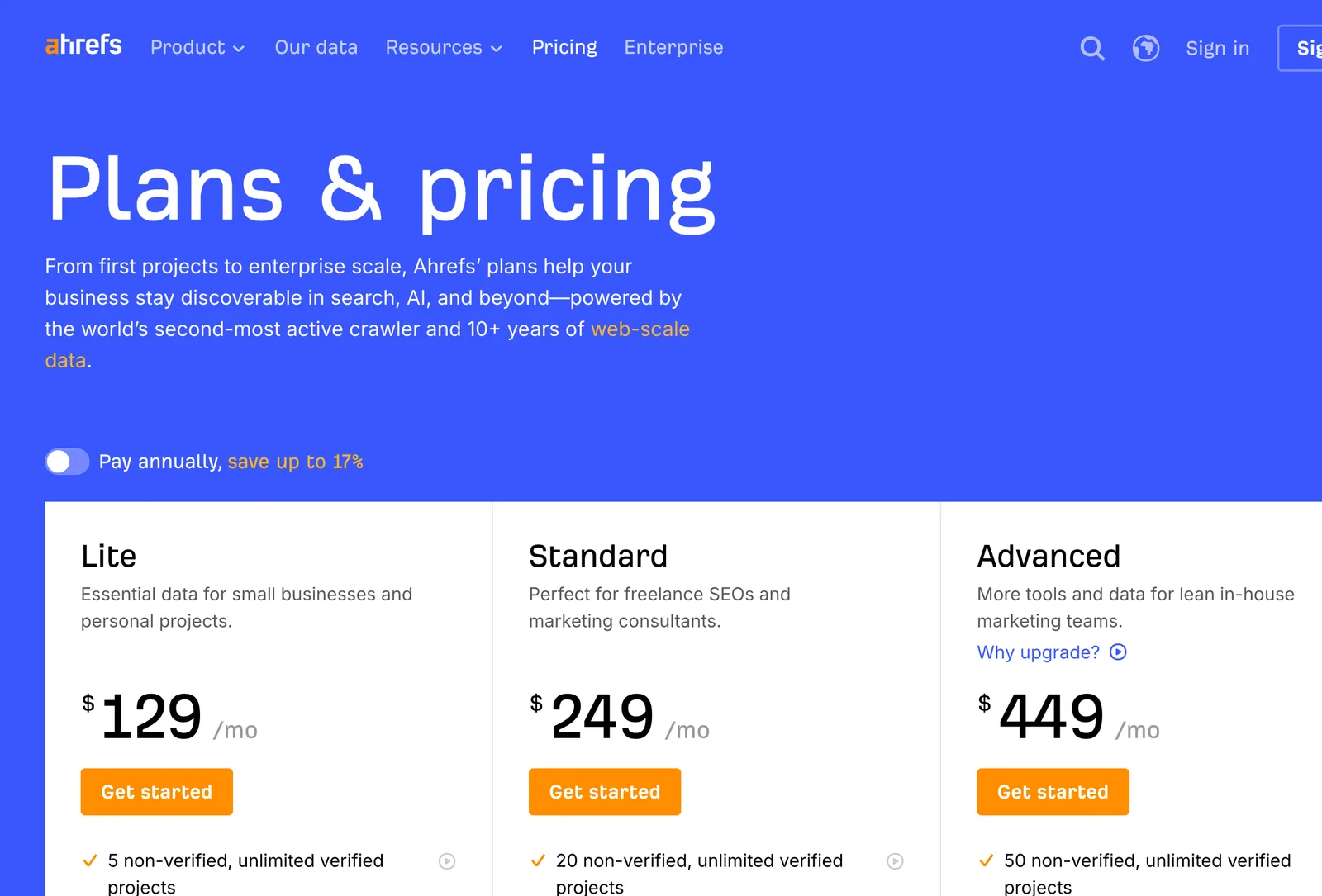
- Costs: A free account covers Site Explorer and Site Audit for sites you can verify. Lite is $129 a month, Standard $249.
- Best for: planning content against real search volume.
- Skip it if: you don’t publish regularly. Search Console covers the rest.
HubSpot: email and CRM
When a client has no CRM, HubSpot is the marketing CRM software I’d start them on: sales and marketing software in one account, with forms, email, contacts and a pipeline.
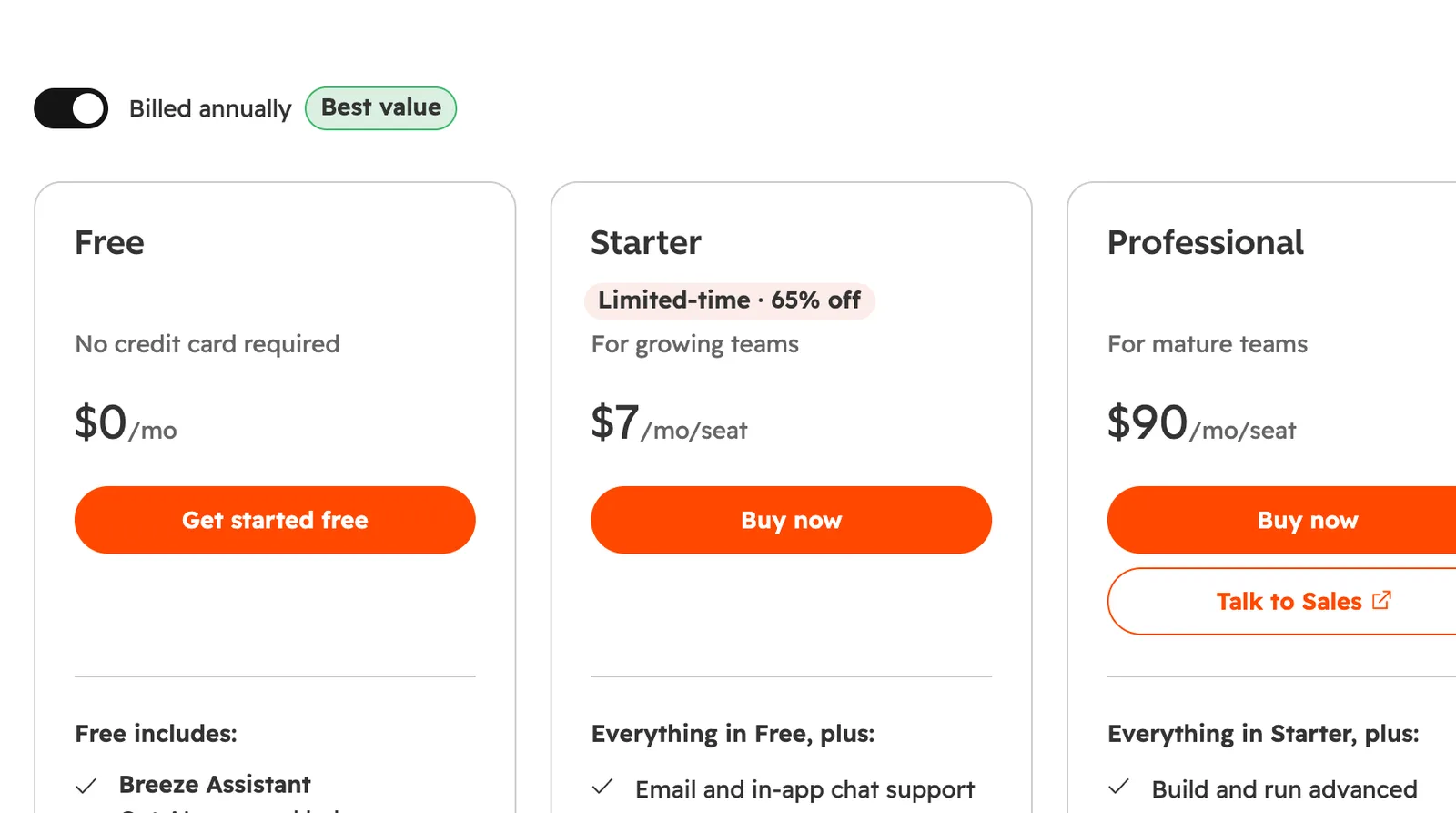
- Costs: Free for up to 2 users. Starter is $20 a seat a month, with a new customer offer from $7.
- Best for: a small team with leads in 3 inboxes.
- Skip it if: the client already has a CRM. 2 systems holding contacts is worse than 1 bad one. More in lead management CRM.
Canva: design
Canva is where quick statics, resizes and story frames get made. It won’t replace a designer on the ad that carries the budget.
- Costs: Free to use. Pro is $12.99 a month or $119.99 a year.
- Best for: turning 1 idea into every placement size.
- Skip it if: you already pay for Adobe and someone knows it.
Meta Business Suite: social scheduling
Meta Business Suite schedules posts, stories and reels on Facebook and Instagram, with comments and messages in one inbox. Enough for 1 brand.
- Costs: Free. Buffer is the cheap step up, from $5 a channel a month.
- Best for: 1 brand on Instagram and Facebook.
- Skip it if: you post to TikTok and LinkedIn too, or need outside sign off. More in social media management tools.
Tools for my own brand, and the ones I build
For my own brand’s content, I add 2 more online marketing tools when I need them, both for creative. They save time on posts and videos, and they’re the first I’d drop if they stopped doing that. Reporting is different: I build my own.
- Higgsfield, for images and video: AI images and short video for my own brand’s posts and concepts. Free with limited use, Starter from $15 a month billed yearly.
- ElevenLabs, for voiceovers: AI voice for my own videos when recording isn’t practical. The free plan has no commercial licence, so for anything commercial you need Starter, $6 a month.
- Tools I build myself: I’ve started building my own digital marketing tools, like the ad safe zone checker, plus internal tools for reporting and tracking, so clients see their numbers in one place.
Digital marketing software side by side
Here’s the digital marketing software above in one table. Almost every tool has a free way in, and most stay free at small business scale. The paid lines are server hosting, Ahrefs, and seats once a team grows. Prices are from each vendor’s own page, checked on 10 Nov 2026.
| Tool | Job | Free tier | Paid from |
|---|---|---|---|
| Meta Ads Manager | Ads | Yes | Media only, no subscription |
| Google Ads | Ads | Yes | Media only, no subscription |
| Google Tag Manager | Tracking | Yes | Server hosting, about $45 a server a month |
| Google Analytics 4 | Analytics | Yes | Analytics 360, enterprise |
| Search Console | SEO | Yes | No paid tier |
| Ahrefs | SEO and content | Yes, sites you verify | Lite, $129 a month |
| HubSpot | Email and CRM | Yes, up to 2 users | Starter, $20 a seat a month |
| Canva | Design | Yes | Pro, $12.99 a month |
| Meta Business Suite | Social | Yes | No paid tier |
| Higgsfield | AI creative | Yes, limited | Starter, $15 a month billed yearly |
| ElevenLabs | AI voiceover | Yes, no commercial use | Starter, $6 a month |
The best marketing software on that list is the one somebody opens every day.
Free online marketing tools
Most of the free online marketing tools worth having come from Google and Meta, because they want your ad spend and give the tooling away to get it. Ads Manager, Google Ads, Tag Manager, GA4, Data Studio, Search Console and Meta Business Suite cost nothing. Paid online marketing software sells convenience on top.
A few more free marketing tools I’d keep:
- Meta Ad Library: every active ad on Meta’s platforms, searchable.
- Free AI tools for marketing: Claude’s free plan handles first drafts of ad copy and briefs. Pro is $20 a month, or $17 billed yearly. More in Claude for Meta ads.
The best digital marketing tools for most accounts are on that free list. The catch is that each one reports its own version of the truth, so you still need 1 number to manage against. Mine is usually store revenue divided by total spend.
Marketing tools for small business
The best marketing tools for small business are the free ones above, plus 1 paid thing when it hurts not to have it. Under $10,000 a month of ad spend, anything above roughly $150 a month in subscriptions is usually buying a nicer chart. Spend the difference on creative.
The small business marketing tools I’d set up, by monthly ad spend:
- Under $5,000: Ads Manager, Google Ads if people search for you, GA4, Search Console and a spreadsheet. Learn Ads Manager yourself first, because a fixed cost swallows the media.
- $5,000 to $10,000: Tag Manager set up properly, and a free Data Studio report.
- Above $10,000: add a server container, and a CRM if leads arrive from more than 1 place.
The best marketing apps for small business are already on your phone: Meta Business Suite and Ads Manager cover posting, replies and pausing an ad from a taxi. Email is its own decision, covered in email marketing software.
What an all in one platform won’t do
An all in one digital marketing platform won’t buy media, write your creative, or tell you its attribution model favours the channels it sells you. It moves data between boxes and draws the chart. That’s useful. It’s also the part of the job that takes the least skill.
What the sales pages for marketing management software leave out:
- Attribution: every suite marks its own homework. If it sells email, email gets the credit.
- Migration: moving a list, tags and 6 years of history takes a fortnight. Budget it or don’t start.
- The roadmap: the integration you need is often coming soon. Ask by name before you sign.
- Arabic: most all in one digital marketing tools handle it badly. Right to left templates break, segments trip over spelling variants of the same name, and local payment gateways in KSA and Egypt are rarely on the connector list.
The best marketing platforms earn their fee when the alternative is 5 logins nobody reconciles. Test with your own Arabic data first.
The 4 tools I cut
I cut 4 over the last 2 years: a competitor ad spy tool, a rank tracker, a paid reporting dashboard on 2 accounts, and an all in one CRM nobody opened after month 3. Together they were roughly $400 a month, and cutting them changed no client result in either direction.
- Ad spy tool: the Meta Ad Library shows the same ads for free, and a competitor’s ads don’t tell you what works for them.
- Rank tracker: bought during a month when someone thought I might sell SEO.
- Reporting dashboard: nice, but it cost more than the hours it saved. Now I build my own.
- All in one CRM: the client already had one.
Same pattern in all 4: I bought digital marketing tools to answer a question nobody asked. Clients leave when cost per purchase climbs for 6 weeks and nobody says so.
| Tool category | What it does | What you still do by hand | Worth paying for at |
|---|---|---|---|
| Ad platforms | Runs the auction, reports the result | Every decision inside it | Always, they’re free |
| Analytics | Says what happened after the click | Deciding what counts as a conversion | Always, GA4 is free |
| Server side tracking | Recovers events the browser loses | Mapping events, then testing them | Above roughly $10,000 a month |
| Reporting dashboards | Draws the chart faster than you can | Reading it, writing the note | 3 or more platforms |
| Creative production | Makes the file | The idea, the offer, the hook | Always, and cheaply |
| Competitor spy tools | Shows you a competitor’s ads | Deciding whether any of it matters | Rarely, cancel after a month |
Where the money goes
Into the ads. Say your marketing budget is $10,000 a month. About $8,600 of it goes to Meta, Google and the other platforms, about $800 to making the creative, around $400 to tools like these, and the last $200 to tracking and hosting. Tools are the smallest line, and the one people research hardest.
An extra $200 a month of tooling has to move the media 2% to break even. Almost none does. The same $200 on 1 more decent video usually does.
What I’d do
Start with the free digital marketing tools from Google and Meta, set up tracking properly, and keep a weekly spreadsheet. Add Ahrefs when you publish, HubSpot when leads come from 3 places, and a server container above $10,000 a month. Everything else waits until the spreadsheet hurts.
The most effective digital marketing tools I use are the free ones, set up carefully. My paid subscriptions are a small line on the budget, and they’re not why any account works.
So spend your research time on the ad, not the app.
Not sure which ones your account needs? Talk to me.
Questions people actually ask
What are digital marketing tools?
Digital marketing tools are the software that runs, measures and supports your marketing: ad platforms like Meta Ads Manager and Google Ads, tracking like Google Tag Manager, analytics like GA4, SEO tools like Search Console, a CRM, a design tool and a social scheduler. Most of the ones worth having start with a free tier.
What are the best tools for digital marketing?
The ones that match your jobs. For most accounts that's Meta Ads Manager and Google Ads, Google Tag Manager, GA4, Data Studio for reports, Search Console, HubSpot's free CRM, Canva and Meta Business Suite, all with free tiers. Add Ahrefs, from $129 a month on Lite, once you publish content regularly.
What digital marketing tools does a small business actually need?
Meta Ads Manager and Google Ads, both free to open. GA4 and Search Console, also free. A tracking layer, which is Tag Manager plus either server hosting or a Conversions API app in your store platform. Then a spreadsheet with spend, revenue and cost per purchase by week. That covers most businesses spending under $50,000 a month.
Are free marketing tools good enough?
For most accounts, yes. Google and Meta give away the tools that matter most: Ads Manager, Google Ads, Tag Manager, GA4, Data Studio, Search Console and Meta Business Suite. HubSpot's CRM is free for up to 2 users and Canva is free to use. You start paying when you need seats, hosting or deeper data.
How much should I spend on marketing software each month?
As little as possible until the spreadsheet hurts. On accounts under $10,000 of monthly ad spend, anything above roughly $150 a month in subscriptions is usually buying a nicer chart. Above 3 platforms and 2 people, a reporting tool starts to pay for itself in hours saved.
What is the most overrated tool category?
Competitor ad spy tools. The Meta Ad Library shows every active ad on Meta's platforms for nothing, and knowing what a competitor runs almost never tells you why it works for them. I paid for one for a year and it won me zero arguments about my own accounts.